Levels that line up
Every audio and video file is measured and brought to one target level, with a limiter on the output and a trim for each cue.

For cabarets & variety venues
Every act on the bill sends their tracks, video and cue notes to the same show link, from their phone. By sound check, the booth has the whole night in running order, cached on the laptop and level matched.
Free during the beta. Sending files with 2Booth never requires an account or an app.
Sound familiar?
Monday it’s email. Thursday it’s texts. Friday at 7:40 it’s a thumb drive.
Inboxes, group chats, cloud links and that one act who brings a laptop. Somebody has to gather it all and rename it.
A track mastered for streaming next to one recorded off a phone. You find out in the first bar.
Acts swap songs and order through the week. The booth hears about it at the top of the act.
How it works
Create the show from the venue dashboard and put its link in your booking confirmation, or print the QR code for the green room. Add a PIN to keep it to the lineup.
Each act types their name, uploads their tracks, video and images, and writes a note for every cue: “start on blackout”, “cut when I hit the mic”. They drag their cues into order and can swap a file right up to curtain.
Drag acts into the show order, trim start and end points, and check levels at sound check. Audio is cached on the laptop and everything is measured before doors.
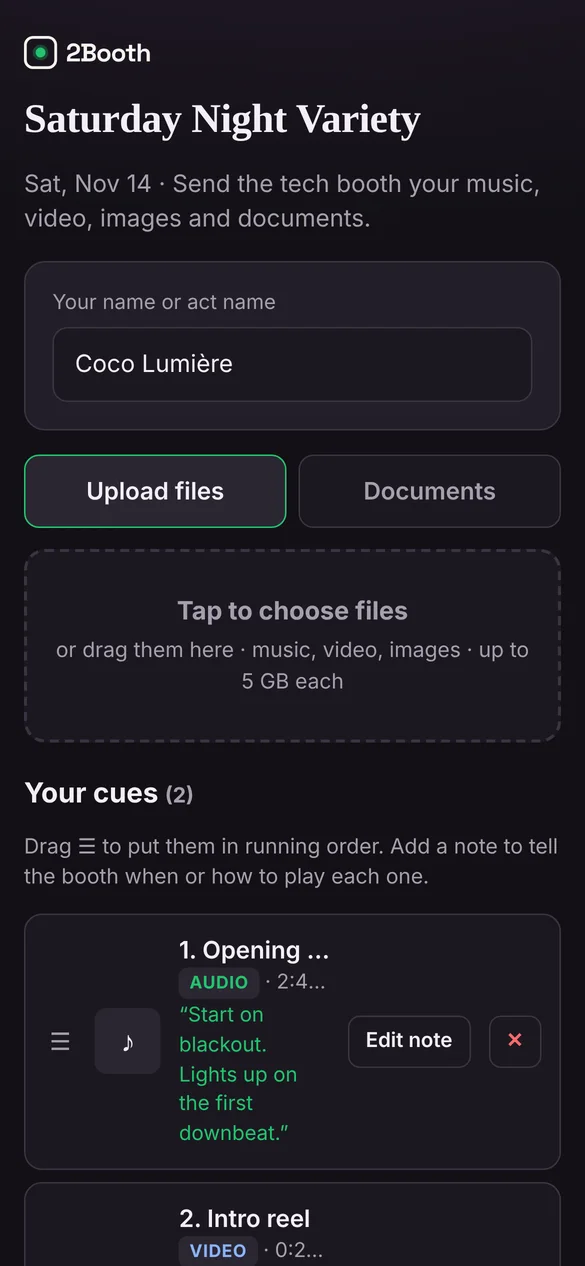
The Booth View
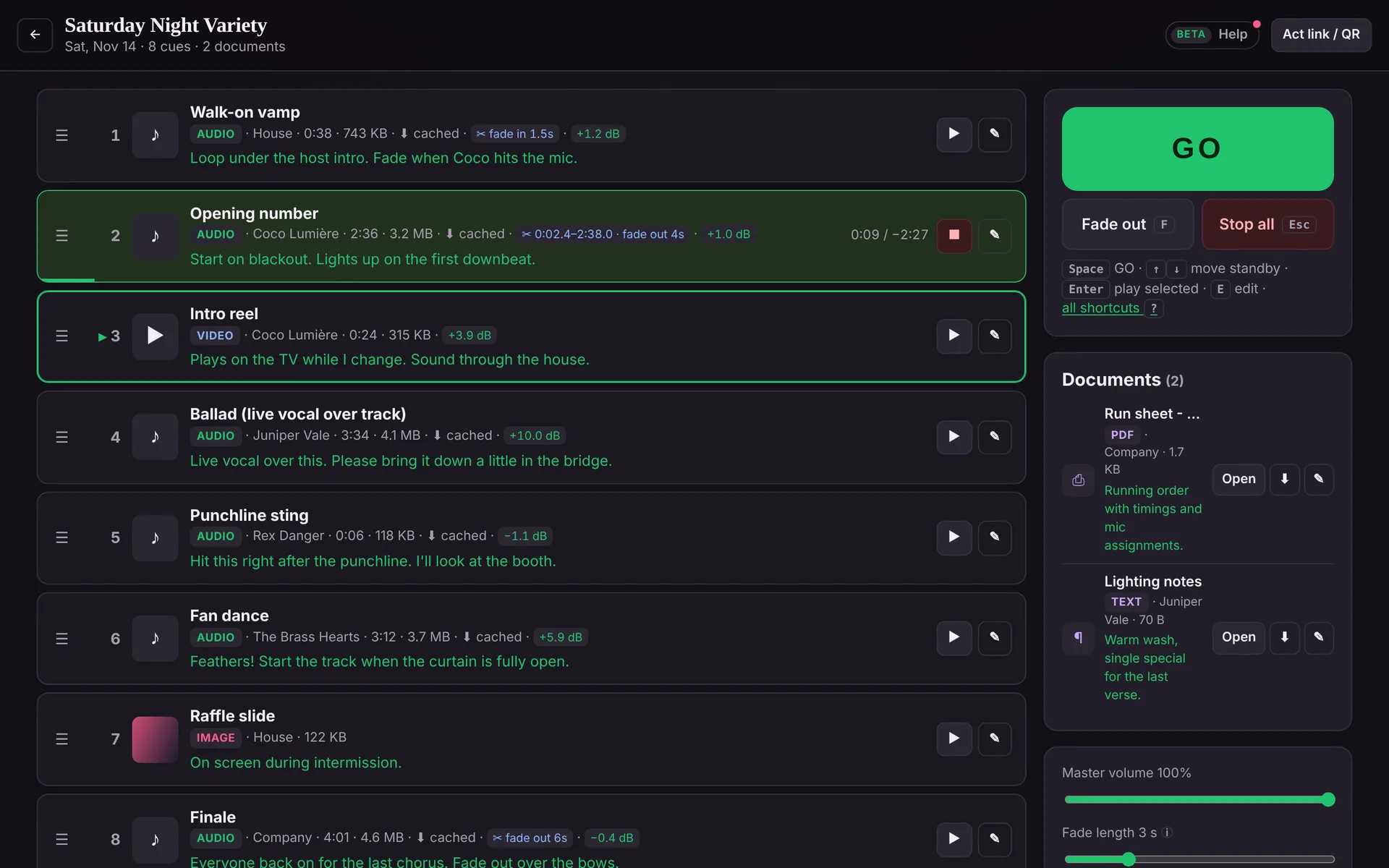
Every audio and video file is measured and brought to one target level, with a limiter on the output and a trim for each cue.
Audio downloads to the booth laptop ahead of time. A status line tells you when the whole show is cached and measured.
The house tech, the TD and the guest operator all sign in with their own email link and see the same shows.
Built in the booth of a working cabaret, where a different lineup comes through every week.
Private beta
We’re bringing people on a few at a time, so each one gets set up properly and heard. The beta is free.
We’ll only use your details to contact you about the beta.
Thanks, there. We’ll email to set up a time to get you running.
FAQ
If they can send a text, they can use it. They open the link or scan the QR code, type their act name and choose files from their phone. No account, no app.
Open the show link on the booth laptop and upload it for them. It lands in the cue list like everything else and is measured for level in a few seconds.
No. Acts only see their own cues. The full running order is only visible to your venue’s signed-in team.
Public performance licensing stays with the venue, the same as when acts bring a thumb drive. 2Booth moves and plays the files you already have the right to use.
The beta is free. Beta venues will hear about pricing before anything changes, with time to decide.