Private by default
Files are stored on Cloudflare’s network and only your signed-in team can see them. Presenters only see what they sent.

For galas & corporate events
Send presenters, honorees and planners one link. Walk-on music, videos, award stills and slide decks arrive in one running order on the show laptop, each with a note for the cue.
Free during the beta. Nobody sending files needs an account or an app.
Sound familiar?
The CEO’s video is in someone’s shared drive. The walk-on is in an email from March. The deck is final_v7_REAL.
Inboxes, shared drives, file-transfer links that expire. Someone spends the day of the event hunting for the right version.
A new cut of the video lands in the planner’s inbox an hour before doors. The show laptop never sees it.
Sizzle reels, walk-ons and stings all arrive at different levels. The first one makes the room jump.
How it works
Create the event in the dashboard and send the link to presenters, honorees, agencies and the planning team. Add a PIN to keep it private.
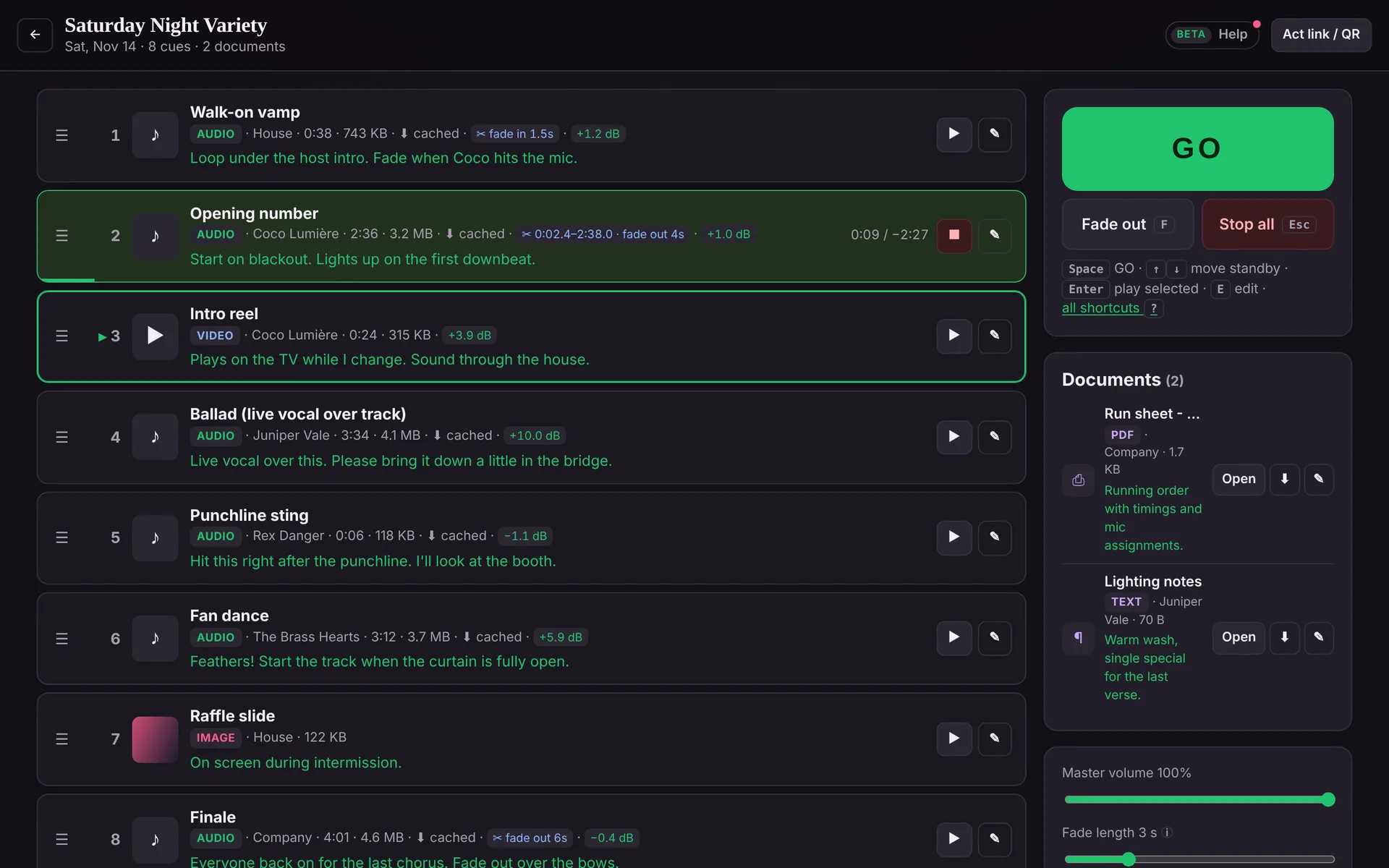
Walk-on music, videos and stills go in the cue list, each with a note: “play as she walks from table 1”. Slide decks, scripts and run sheets go to the Documents panel.
Drag cues into show order, set start and end points, and trim levels by ear while presenters rehearse. On the night, Space is GO, and images and video go full screen on the projector.
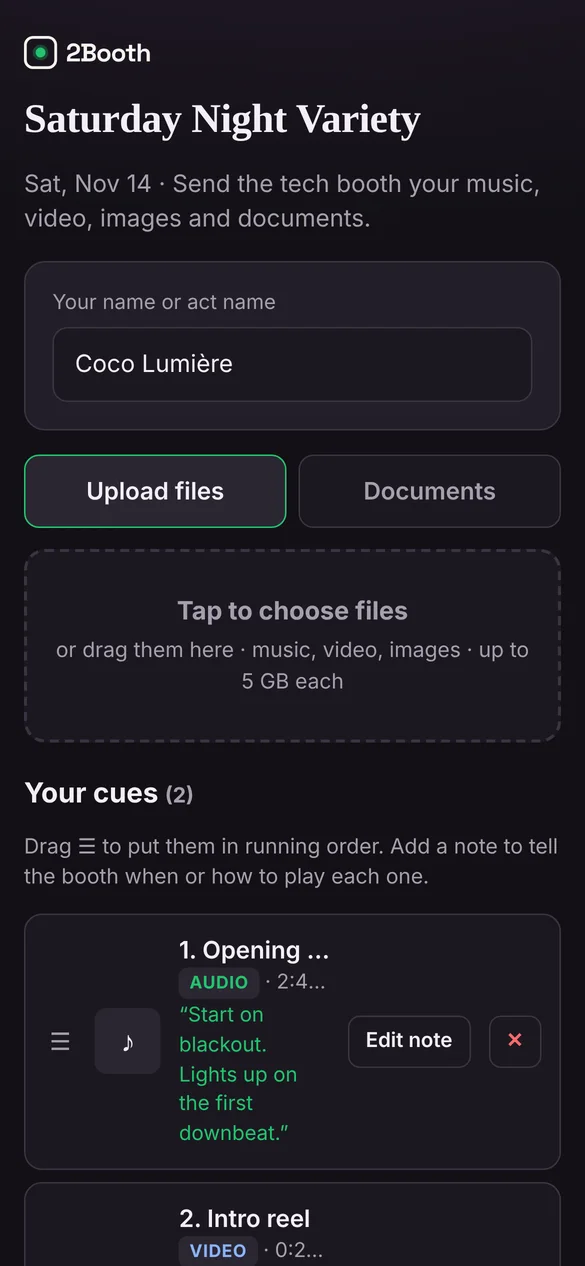
The Booth View
Files are stored on Cloudflare’s network and only your signed-in team can see them. Presenters only see what they sent.
PowerPoint and Keynote files arrive in the Documents panel and download to the show laptop, ready to open in the app you run slides from.
Audio downloads to the show laptop ahead of time, so ballroom Wi-Fi doesn’t decide when a walk-on plays.
2Booth gathers the media and runs the music and video. Keep your slide software for the decks, now all in one place.
Private beta
We’re bringing people on a few at a time, so each one gets set up properly and heard. The beta is free.
We’ll only use your details to contact you about the beta.
Thanks, there. We’ll email to set up a time to get you running.
FAQ
No. Slide decks arrive in the Documents panel and download to the show laptop to open in PowerPoint or Keynote. Images and video run from 2Booth’s screen window.
No. Each presenter only sees the cues they sent. The full running order is only visible to your signed-in team.
Yes. The account belongs to your company, not the venue. Open the booth in Chrome on any show laptop.
Up to 5 GB per file, sent in parts so a dropped connection only resends one part.
The beta is free. Beta customers will hear about pricing before anything changes, with time to decide.