One level for the whole show
Every track is measured and brought to the same target level, with a limiter on the output. A quiet ballet piece and a loud hip hop edit sit together.

For dance studios & recitals
Teachers send each routine’s track to one recital link, instead of weeks of emails and thumb drives. The booth gets the whole program in order, cut to the right start and end, measured for level and cached for show day.
Free during the beta. Nobody sending files needs an account or an app.
Sound familiar?
Sixty routines. A dozen teachers. One person building the recital playlist the night before.
Teachers, choreographers and the odd parent send tracks by email, text and thumb drive, and half of them are “final_FINAL”.
Routines need the right start, the right end and a clean fade, and nobody wants to open an audio editor at midnight.
A quiet lyrical track followed by a loud hip hop edit. The audience notices every time.
How it works
Create the recital in the dashboard and send teachers the link, with a PIN so only your staff can add music. Share it as early as you like.
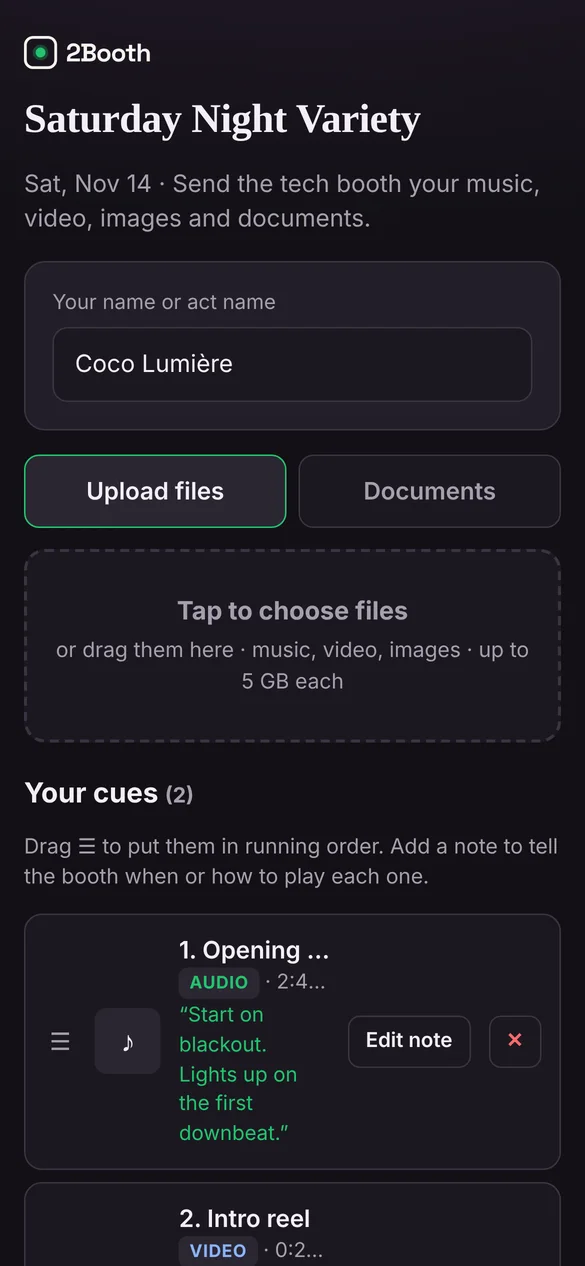
Each teacher uses their name or class as the act name, uploads a track per routine and adds a note: “start on lights up”, “fade on the final pose”. If a routine changes, they replace the file themselves.
Drag routines into program order in the booth, set start and end points and fades on the waveform, and adjust the level by ear while the class runs it. On show day, it’s Space for GO, routine after routine.
Cue editor
1:23.4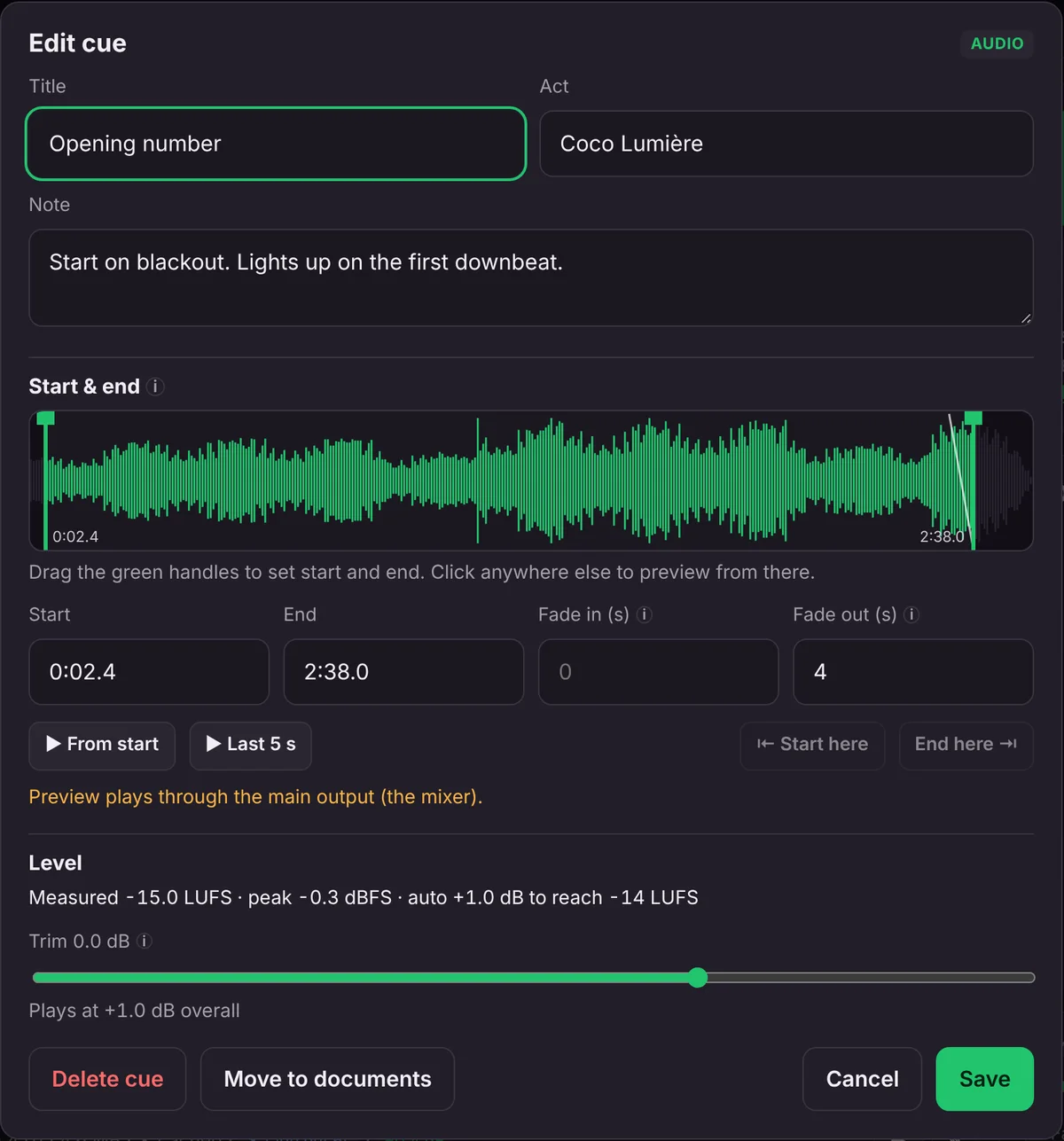
Every track is measured and brought to the same target level, with a limiter on the output. A quiet ballet piece and a loud hip hop edit sit together.
All the audio downloads to the booth laptop before the show. A status line tells you when every routine is cached.
Each routine carries its teacher’s note. Arrow keys move standby, Space is GO, F fades out.
Made for the job recitals already have: collect everyone’s music, put it in program order, and run it cleanly.
Private beta
We’re bringing people on a few at a time, so each one gets set up properly and heard. The beta is free.
We’ll only use your details to contact you about the beta.
Thanks, there. We’ll email to set up a time to get you running.
FAQ
Anyone with the link and PIN can send files, so you choose who gets it. Most studios share it with teachers only.
No. They open the link, type their name or class and upload from their phone or computer.
Make one show for each performance. Each has its own link, its own running order and its own cache on the booth laptop.
Public performance licensing stays with the studio or venue, the same as when tracks come on a thumb drive. 2Booth moves and plays the files you already have the right to use.
The beta is free. Beta studios will hear about pricing before anything changes, with time to decide.