Every mix at one level
Files are measured on the booth laptop and brought to a target level, with a limiter catching peaks. No more riding the fader for one performer.

For drag & burlesque producers
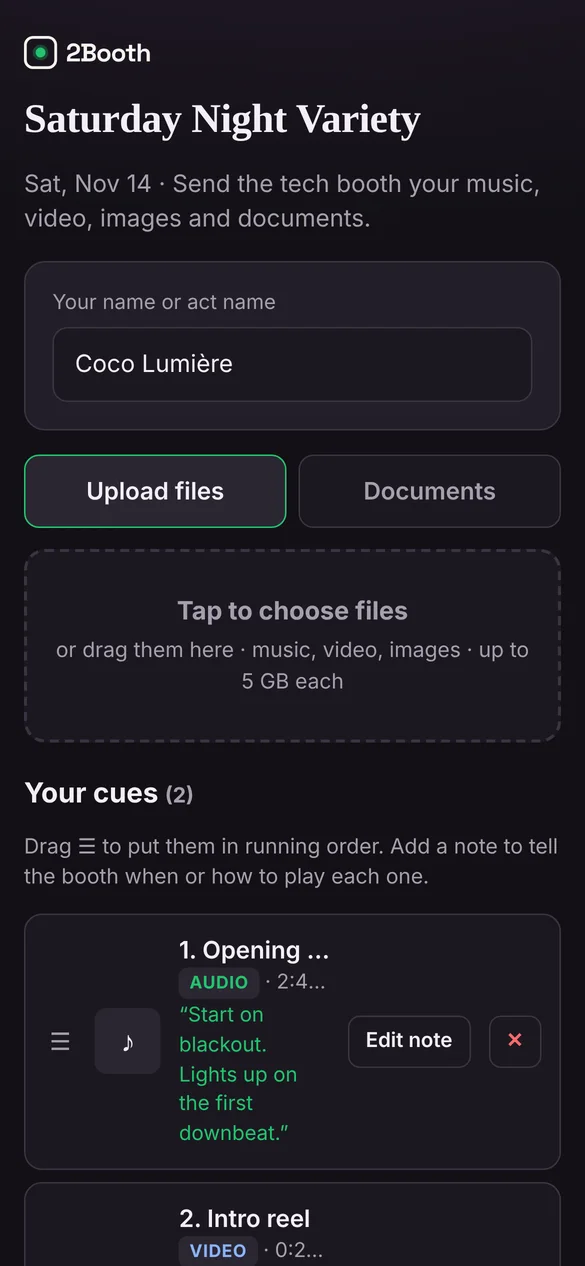
Send the whole cast one link. Performers upload their mixes, video and notes for every reveal from their phone. Wherever the show lands, the booth opens it in Chrome and runs it with GO on the space bar.
Free during the beta. Nobody sending files needs an account or an app.
Sound familiar?
Mixes in a group chat, the reveal cue on a sticky note, and a house tech who’s never seen the show.
Texts, DMs, email and a cloud link that expired. You spend the afternoon before the show collecting and renaming.
One performer’s track was mastered to the ceiling, the next one sits back. The room hears every jump.
Each venue has a different laptop and a different tech, and your notes don’t travel with the files.
How it works
Your production gets its own account, so the show belongs to you, not the venue. Share the link or QR code, with a PIN if you want to keep it to the cast.
Each performer uploads their mix and any video, then writes the cue in their own words: “lights out on the death drop”, “fade on the final pose”. They can send a new mix the night before and it replaces the old one.
Open the booth in Chrome on whatever laptop is there, or add the house tech to your team by email and remove them after the run. Audio caches on the laptop, so the venue Wi-Fi only matters until it’s downloaded.
Cue editor
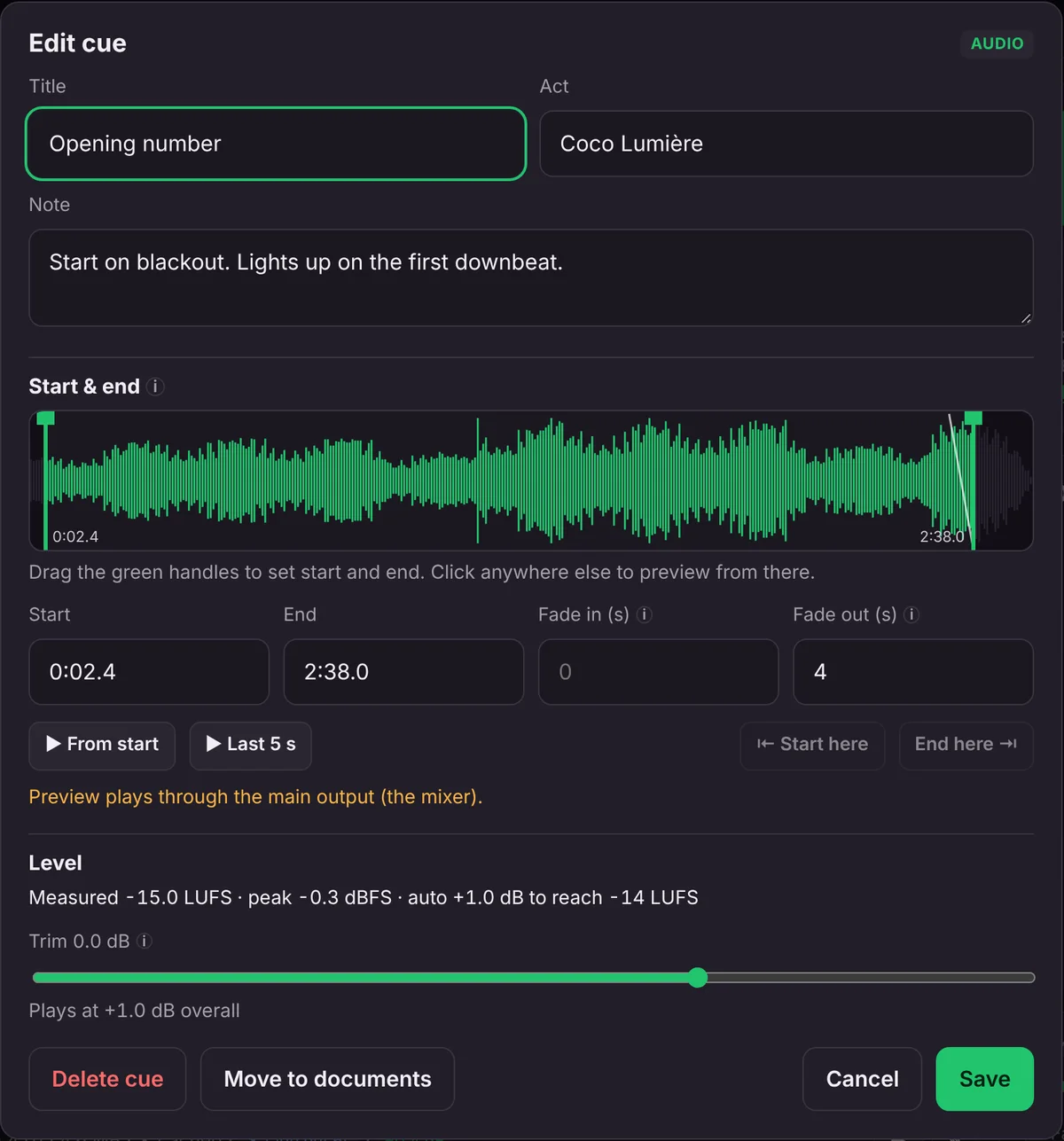
Files are measured on the booth laptop and brought to a target level, with a limiter catching peaks. No more riding the fader for one performer.
The reveal cue is written next to the mix, so a house tech who has never seen your show can still land it.
Images and video go to a screen window you drag onto the TV or projector. Video sound runs through the laptop to the mixer.
Touring or holding a residency, the show and its media stay in your production’s account from venue to venue.
Private beta
We’re bringing people on a few at a time, so each one gets set up properly and heard. The beta is free.
We’ll only use your details to contact you about the beta.
Thanks, there. We’ll email to set up a time to get you running.
FAQ
No. The show lives in your production’s account. Whoever runs the booth signs in with their own email link, or you run it yourself.
No. Each performer only sees their own cues. The full running order is only visible to your signed-in team.
They upload the new one from the same link. It shows up in the booth on its own and is measured for level. Check the cache status line before doors.
Public performance licensing stays with the venue, the same as when you bring a thumb drive. 2Booth moves and plays the files you already have the right to use.
The beta is free. Beta producers will hear about pricing before anything changes, with time to decide.